
Installation Guides
Select your device below and follow the step-by-step instructions.
Fire TV Stick
Step 1: Open Home Screen
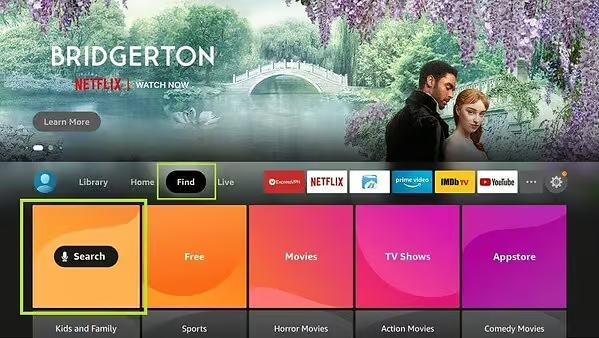
From your FireStick home screen, hover over the 'Search' option to start Smarters Pro installation.
Step 2: Install Downloader App
The first step is to install the 'Downloader' app, essential for downloading IPTV Smarters on your FireStick.
Step 3: Search for App
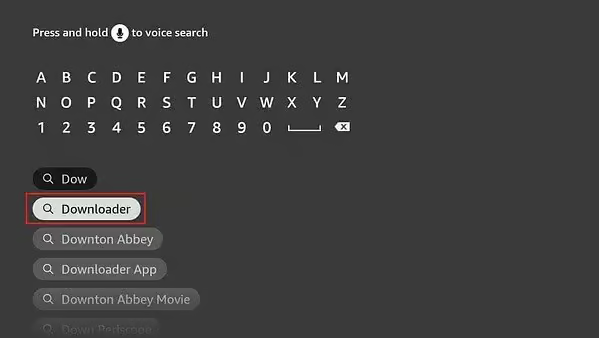
On the home screen, select 'Find' then 'Search'. Type 'Downloader' and click the corresponding icon.
Step 4: Access Settings
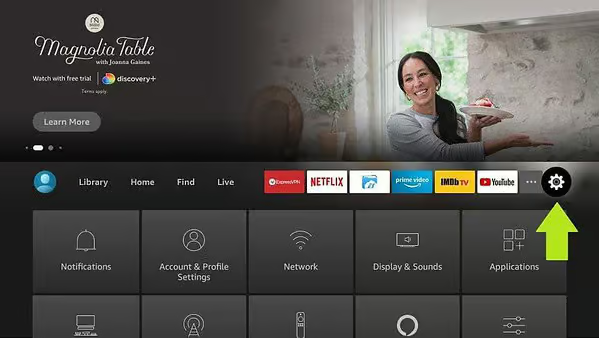
Once Downloader is installed, return to home screen and click 'Settings'.
Step 5: Select 'My Fire TV'
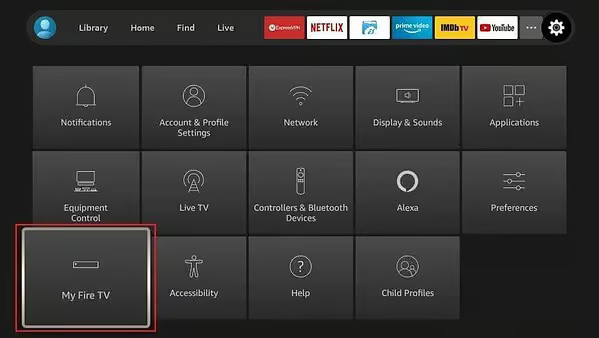
In settings, go to 'My Fire TV' option to configure third-party app installation.
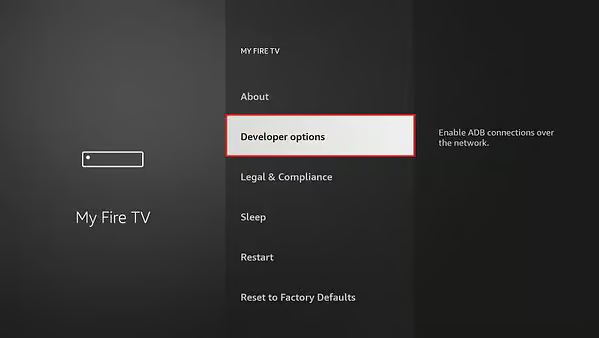
Step 6: Open Developer Options
Click 'Developer Options' (If missing: About > Click device name 7 times).
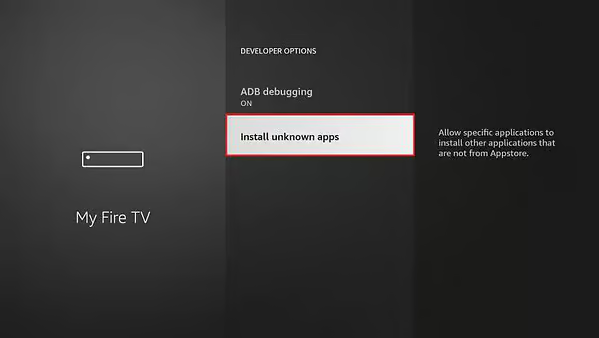
Step 7: Enable Unknown Apps
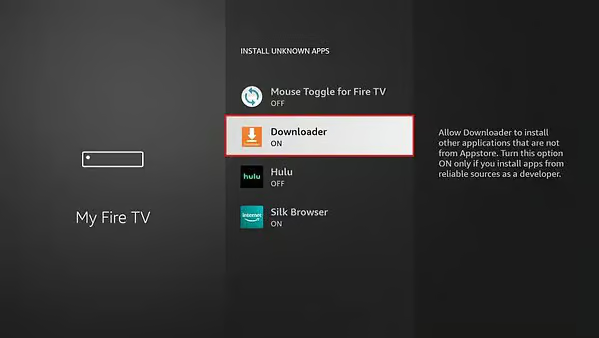
Click 'Install unknown apps' and enable the option for Downloader.
Step 8: Open Downloader App
Launch Downloader app. Ignore prompts until home screen appears.
Step 9: Access URL Box
On screen, click the URL text box on the right, where it says 'http://'.
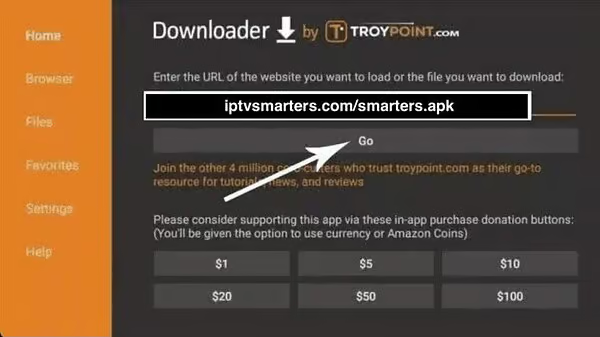
Step 10: Download IPTV Smarters Pro
In URL box, type download code: 78522 (or provided URL) and click 'GO'.
Step 11: Wait for Download
IPTV Smarters Pro download may take a minute or two. Please wait.

Step 12: Install IPTV Smarters Pro
Once download complete, click 'Install' to start installation.
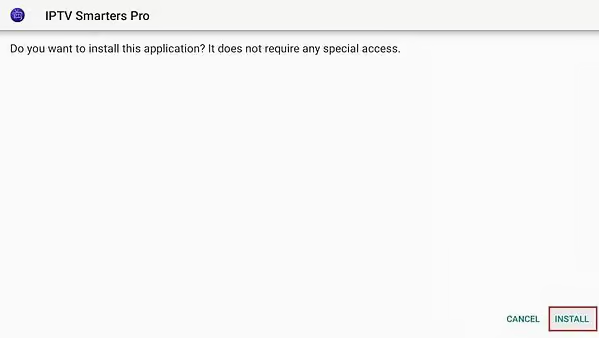
Step 13: Wait for Installation
Installation will take a few moments. A notification will indicate app is installed.
Step 14: Launch Smarters Pro
Click 'Open' to start using IPTV Smarters Pro. Or click 'Done' to delete APK.
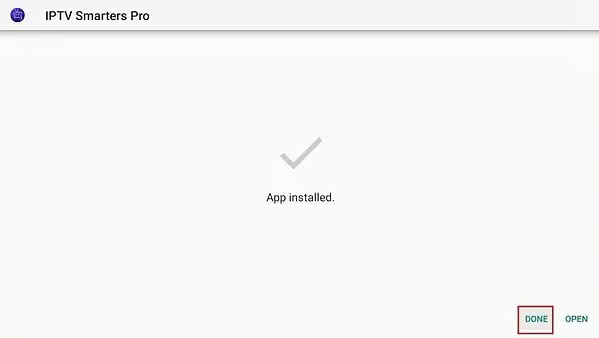
Step 15: Delete APK File
If you chose 'Done', return to Downloader and click 'Delete' to free up space.
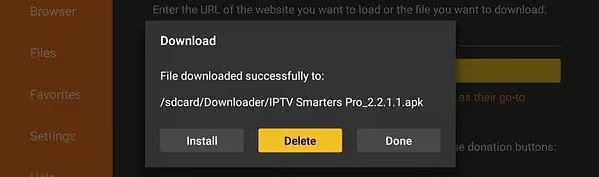
Step 16: Launch App
Go to 'Your Apps & Channels' section or hold Home button, then select Apps.
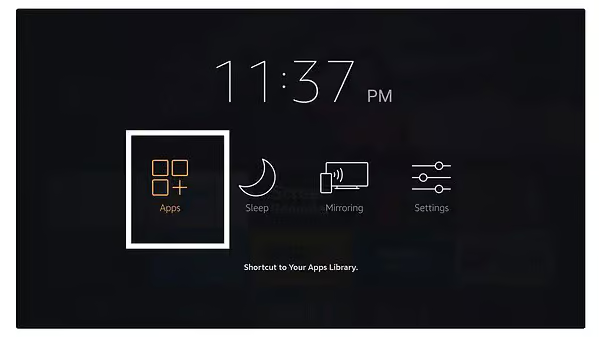
Step 17: Find App
Scroll down to find IPTV Smarters. Press to launch.

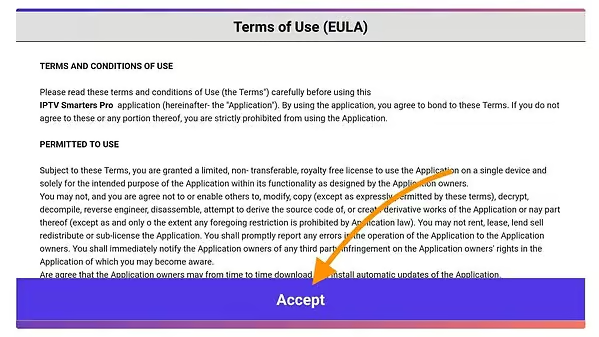
Step 18: Accept Terms
On first launch, simply click the 'Accept' button.
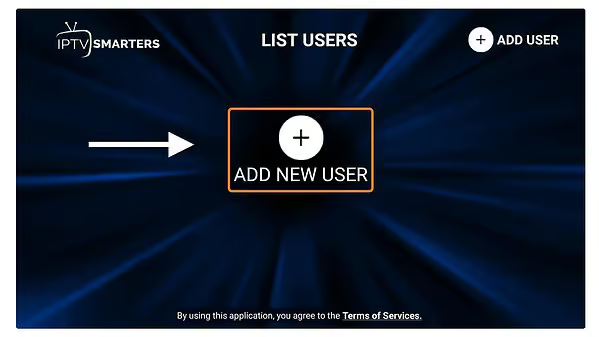
Step 19: Add User
Click 'Add User' to start configuration.
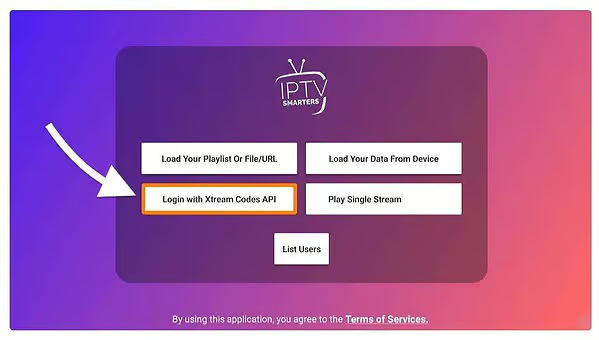
Step 20: Choose Method
Select option 'Login with Xtream Codes API' (fastest and most reliable).
Step 21: Fill Fields
Name: IPTVFASTY | User, Password & URL: see your confirmation email.
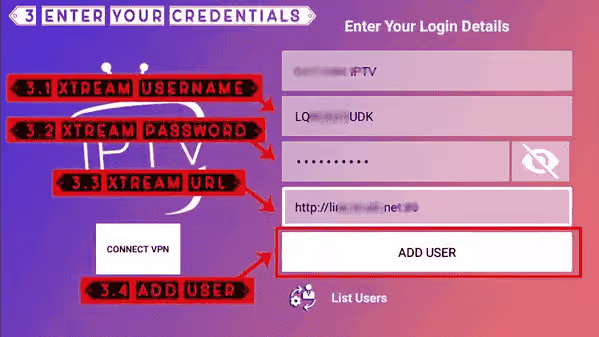
Step 22: Create Profile
Click 'Add User'. A new profile will be automatically generated.
Step 23: Access Content
Select your profile to start enjoying your IPTV subscription.
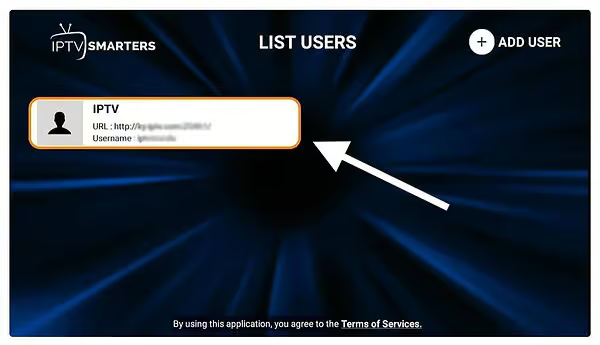
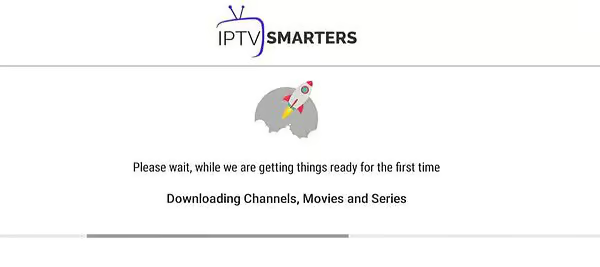
Step 24: Loading
Smarters Pro will download channels, movies and series. Wait a few moments.
Step 25: Enjoy!
You are redirected to main screen. Navigate and enjoy HD/4K streaming.
Tips
- • Tip: If developer options are hidden, go to About and click 7 times on your Fire Stick name.
- • Fast Downloader Code: 78522
Installation Guides & Tutorials
See all guides →Best IPTV Service 2026 — Top Provider Reviewed (UK, USA, Canada)
Find the best IPTV subscription in 2026. 50,000+ channels, Premier League, NFL, UFC in 4K. Free 24h trial. Works on Firestick, Smart TV, Android, iOS.
Read guideBest IPTV UK 2026 — Sky Sports, BT Sport, BBC Without Contract
Best IPTV service in the UK. Sky Sports, BT Sport, TNT Sports, ITV, BBC, Channel 4 in 4K. No contract, cancel anytime. Free 24h trial.
Read guideBest IPTV USA 2026 — NFL, NBA, MLB, UFC Without Cable
Cut the cord in the USA. Best IPTV service for NFL, NBA, MLB, NASCAR in 4K. Works on Firestick, Roku, Apple TV. No blackouts. Free 24h trial.
Read guide